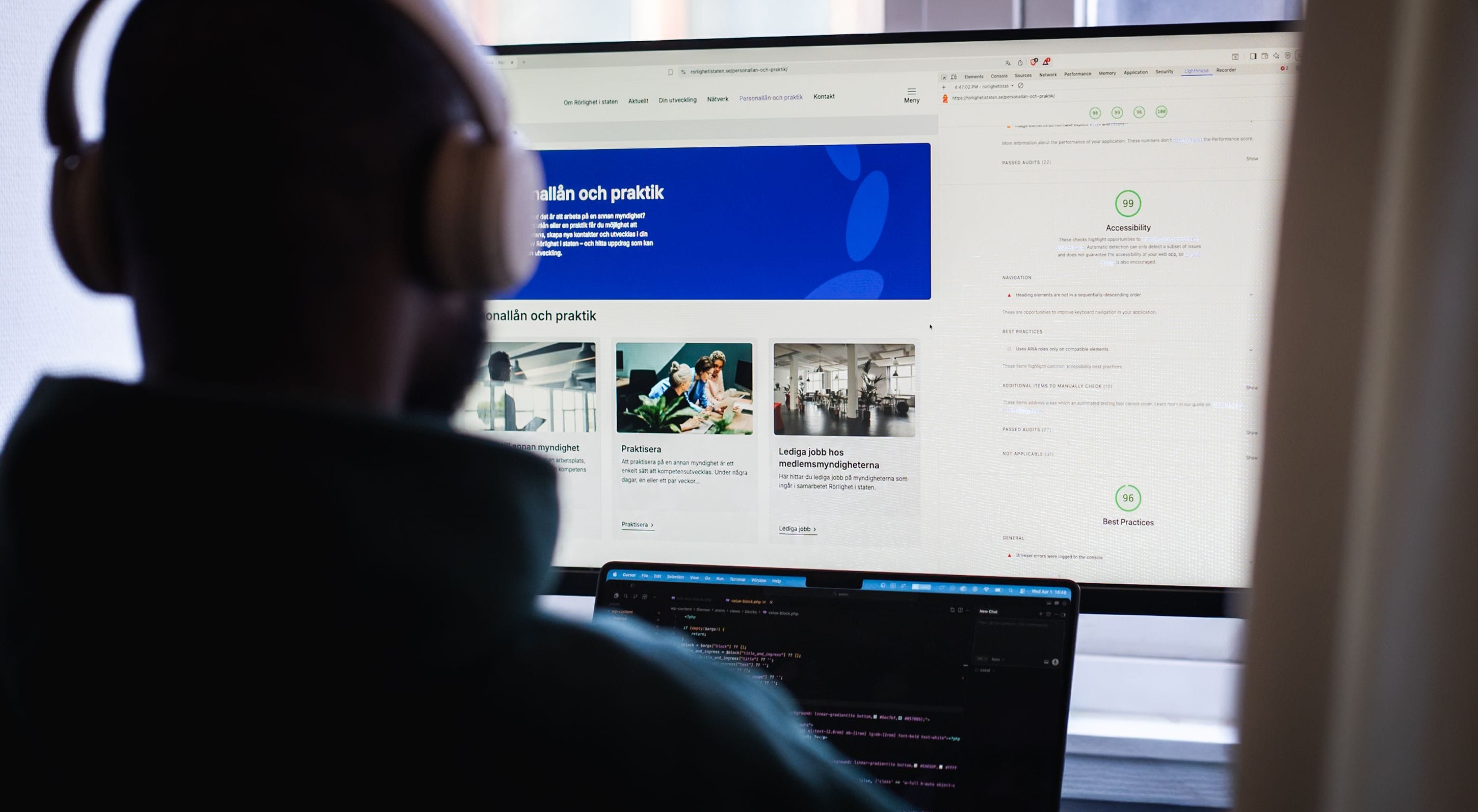
Accessibility Directive 2025: what the law actually requires of you
Since June 28, 2025, digital accessibility is no longer an ambition — it is a legal requirement. Yet we still encounter companies that believe this only applies to government agencies, or who confuse the new law with the regulations that have governed the public sector for several years. The difference is crucial, and misunderstandings can be costly. This guide clarifies what actually applies, who is affected, and what you need to do — without legal fog.
We work daily with accessibility and WCAG in practical web projects. The review is based on that work and on current guidance from Digg and the responsible supervisory authorities — and is aimed at those of you who want to understand the requirements for real, not just check off a checklist. It is deliberately thorough: accessibility is an area where most summaries are too superficial to act on.
In short: what is the Accessibility Directive?
The Accessibility Directive — at the EU level European Accessibility Act (EAA), directive 2019/882 — is the legislation that requires digital products and services to be accessible to people with disabilities. In Sweden, the directive has been implemented through the Act on the Accessibility of Certain Products and Services, often called the Accessibility Act (LPTT). It began to apply on June 28, 2025.
The key to understand: unlike the older DOS Act, which applies to the public sector, the Accessibility Act is directed at private actors offering products and services to consumers. That's why it affects significantly more companies than many think.
Why was the law introduced?
It's easy to dismiss new legislation as yet another administrative burden. But the background to the Accessibility Directive is worth understanding, as it explains why the requirements look the way they do — and why they won't disappear.
Within the EU, an estimated 87 million people live with some form of disability. As more services — banking, commerce, travel, government contacts — have moved to digital interfaces, that group has practically been at risk of being excluded from parts of society and the economy. At the same time, EU member states had begun to introduce their own, disparate accessibility regulations, creating a thicket for companies operating across borders.
The Accessibility Directive solves both problems at once: it harmonizes the requirements to a common standard across the union, and it makes accessibility a right rather than an ambition. For a company, this means that the same technical level applies regardless of which EU country you sell to — which in the long run is a simplification, not just a requirement.
The directive was adopted as early as 2019. Member states were to have incorporated it into national law by 2022, and the national rules began to apply on June 28, 2025. In other words: this is not a sudden rule, but the endpoint of a six-year phasing-in.
DOS Act or Accessibility Act — which applies to you?
The single most common confusion we encounter is the conflation of the two Swedish accessibility laws. They exist in parallel, they partially overlap, but they target different actors. Knowing which one applies to you is the first step.
DOS Act — the Act on Accessibility to Digital Public Services — applies to public actors: authorities, municipalities, regions, and certain private actors with public funding. It has been in effect since 2019 and has Digg as the supervisory authority.
The Accessibility Act (LPTT) — the new law from 2025 — applies to private actors offering products and services to consumers. This is the law this guide mainly concerns.
The two are therefore not replacements for each other. A company can in some cases be covered by both — for example, a publicly funded actor that also runs e-commerce. The technical benchmark (WCAG 2.1 AA via EN 301 549) is practically the same, but supervision, exceptions, and who is responsible differ. If you are a private, consumer-oriented company, it is the Accessibility Act you need to be aware of.
Who is affected by the Accessibility Act?
The law applies to products and services offered to consumers — regardless of which actor is behind them. In practice, this includes:
- E-commerce — online stores and digital purchase flows
- Banking services and other financial services for consumers
- Electronic communication — telecom and similar services
- Digital media services — streaming, e-books, subscription news services
- Transport services with digital interfaces
If you sell a product or service digitally to consumers in Sweden or the rest of the EU, the starting point is that the law affects you. This also applies to companies outside the EU targeting EU consumers — geographic domicile does not determine, the market you sell to does.
Some industry examples
Because the law is broad, it can be difficult to see exactly how it affects your business. Some typical cases:
- E-commerce. The entire purchase flow — product listing, product page, cart, checkout, and payment — must be usable with a keyboard and screen reader. It's often at checkout where the most costly deficiencies are found, as an inaccessible step there directly prevents a purchase.
- Banking and finance. Digital services for login, transfers, and transactions are covered. Here, the requirements are particularly sensitive because the services are often difficult to replace with analog alternatives.
- Media services. Streaming, e-books, and subscription news services are affected, including requirements for subtitles and navigable reading interfaces.
- Booking and travel. Digital booking and ticket flows for transport are covered, as well as self-service solutions.
Common to all is that it's not enough for the homepage to look nice — the entire functional journey, up to the completed transaction, must work.
The exception for micro-enterprises: companies providing services and having fewer than 10 employees and an annual turnover or balance sheet total of up to 2 million euros are generally exempt. However, the exception is narrower for those selling products — and being close to the threshold is not something to rely on long-term. A company that grows past the threshold enters the scope of the law, and rebuilding an entire digital platform afterward is significantly more expensive than doing it right from the start.
A common misconception is that the exception applies to all small businesses. It does not: it specifically applies to micro-enterprises providing services, and there are industry-specific nuances. If you're unsure whether you're covered, it's worth a legal assessment — the boundary is not always clear.
What do the requirements mean technically?
The law points to the European standard EN 301 549, which in turn is based on WCAG 2.1 level AA (Web Content Accessibility Guidelines). Thus, WCAG 2.1 AA is practically the benchmark for an accessible website or app.
WCAG rests on four basic principles — often summarized as POUR. Below we go through each with concrete examples of what they mean in practice, as it is at this level that the work actually takes place.
Perceivable
Content must be perceivable regardless of sense. This means, among other things:
- Text alternatives for images — meaningful alt texts so a screen reader can convey what an image shows. Decorative images, however, are marked to be skipped.
- Sufficient color contrast — at least 4.5:1 between body text and background, 3:1 for large text. Light gray text on a white background is one of the most common deficiencies we see.
- Captioning and alternatives for media — subtitles for video, transcripts for audio.
- Information must not be conveyed by color alone — a red field is not enough to signal an error; text or a symbol is also needed.
Operable
Everything must be usable, regardless of how the user controls their device:
- Full keyboard navigation — everything that can be done with a mouse must be possible with a keyboard. Many with motor impairments never use a mouse.
- Visible focus — it must be clear where on the page the keyboard focus is.
- No flashing elements that can trigger epileptic seizures.
- Sufficient time — functions that count down or log out automatically must be extendable.
Understandable
Content and functions must be clear and predictable:
- Consistent navigation — menus and recurring elements must behave the same across the website.
- Understandable error messages — a form rejecting an input must explain what is wrong and how to fix it, not just mark the field red.
- Clear language — especially important for users with cognitive impairments. Here, accessibility and plain language meet.
Robust
The code must work with assistive technologies, now and in the future:
- Correct, semantic HTML — headings that are headings, buttons that are buttons. Screen readers build their understanding on the structure in the code.
- Correct labeling of interface components (for example, via WAI-ARIA where needed) so that custom-built components are interpreted correctly by assistive technologies.
Level AA is the level the law assumes — level A is not enough, and level AAA is rarely a realistic requirement for an entire website. It's also worth noting that WCAG 2.2 now exists and adds additional criteria; even though the law today is based on 2.1, 2.2 is a reasonable ambition level for those who want to be long-term secure.
A note on modern, headless-based websites
More and more websites today are built with a so-called headless architecture, where the content is managed in a modern CMS and presented via a separate frontend layer. It provides performance and flexibility — but it also places its own demands on accessibility. When the interface is built with JavaScript frameworks, it is the developer, not the platform, who determines whether the final code becomes semantic and accessible. Interactive components built from scratch must be consciously provided with correct labeling, focus management, and keyboard support — it doesn't come for free. In other words: a modern technical foundation is no guarantee for accessibility, but in the right hands, it provides excellent conditions to build right from the start.
The most common deficiencies we see in practice
After reviewing and rebuilding a large number of websites, we see the same problems recurring. Most are not difficult to fix once you know them — but they are easy to miss without conscious testing:
- Insufficient contrast in text, buttons, and form fields — often a result of a graphic profile that has never been tested against WCAG.
- Images without alt text, or alt texts that just repeat the file name.
- Forms without linked labels, making them unusable with screen readers.
- Custom-built components (dropdowns, modals, carousels) that cannot be accessed with a keyboard.
- Poor focus management — the user gets lost when a dialog box opens.
- Video without subtitles.
- Heading structure used for appearance instead of hierarchy, which confuses screen readers.
The important thing to understand is that automatic testing tools only capture some of these. They find contrast and missing alt texts, but whether a custom-built component is actually usable with a keyboard — that requires manual testing. A credible review therefore always combines both.
When should everything be in place? Timeline and transition rules
A common misunderstanding is that everything must be perfect from June 28, 2025. The picture is more nuanced, and it's worth understanding to plan the work reasonably:
- June 28, 2025 — new and updated products and services offered to consumers from this date must meet the requirements.
- Until June 28, 2030 — for certain existing services, there are transition rules that provide a phasing-in period. Self-service terminals put into use before 2025 can in some cases be used even longer, up to the end of their economic lifespan.
- Ongoing — every new function, page, or update after the deadline must meet the requirements. Compliance is therefore not a one-time deadline but an ongoing commitment.
The practical advice: don't let the transition rules become an excuse to postpone. The longer an inaccessible platform lives, the more expensive it becomes to fix — and the longer it excludes customers.
What does an accessibility review entail in practice?
Since the review is the starting point for all accessibility work, it's worth knowing what it actually consists of. A serious review combines three levels:
- Automated testing that quickly goes through the entire website and flags systematic errors — contrast problems, missing alt texts, incorrect code structure. It provides breadth, but not depth.
- Manual expert review where a person tests the page with only a keyboard, with a screen reader, and against WCAG's criteria one by one. This is where the serious, user-hindering deficiencies are found.
- User testing with people who actually use assistive technologies daily — the strongest way to discover problems that neither tools nor experts fully anticipate.
The result should not be an abstract score but a prioritized action list: what is wrong, how serious it is for the user, and what is required to fix it. It is this list that makes the work plannable and budgetable.
Who has oversight — and what happens in case of deficiencies?
An important difference from the public sector: oversight of the Accessibility Act is divided among several authorities depending on the industry — including the Swedish Post and Telecom Authority, the Consumer Agency, the Media Authority, the Agency for Accessible Media, and the Swedish Transport Agency. (Digg is responsible for the DOS Act that applies to the public sector — a common confusion.)
The supervisory authorities can request information, order measures, and ultimately combine orders with penalties. The process often begins with a user reporting a deficiency, after which the authority can request rectification within a certain time. But the financial risk is rarely the first problem. Equally important is:
- Excluded customers — about one in six people live with some form of disability. Inaccessibility excludes a significant part of the market, every day it persists.
- Brand risk — lack of accessibility is increasingly perceived as a sign of negligence, and a public complaint can have a greater impact than the actual threat of penalties.
- Retroactive cost — building in accessibility from the start is significantly cheaper than fixing it afterward, where corrections often involve rebuilding already launched functionality.
It's also worth knowing who bears the responsibility. It is the actor offering the product or service to the consumer who bears the responsibility — even when the website itself is built by an external provider. You cannot contract away the responsibility to your agency. However, a competent provider should build accessibly from the start and be able to show how they work with WCAG — this is one of the most important questions to ask when procuring web services.
What do you need to do? A practical order
For a company aiming for compliance without fumbling, this is a reasonable work order:
- Conduct an accessibility review. Map the current state against WCAG 2.1 AA — both automated and through manual testing, as automatic tools only capture some of the deficiencies. The result is a prioritized list, not just a score.
- Prioritize based on impact. Fix what excludes users first: keyboard navigation, contrasts, forms, screen reader support. An error that makes it impossible to complete a purchase weighs more than a decorative detail.
- Build accessibility into the process. Accessibility is not a one-time project but an ongoing quality level — new pages and features should meet the same standard. The best results are achieved by making accessibility a part of the design and development flow, not a final check.
- Educate the content team. A large part of accessibility is determined in the daily content work: heading structure, alt texts, clear language. A perfectly built site can be made inaccessible by a single incorrectly published article.
- Publish an accessibility statement. Describe the website's accessibility and how users can report deficiencies — and keep it updated.
What should an accessibility statement contain?
The accessibility statement is the public document where you report how well your digital service meets the requirements. It serves both as a commitment outward and as an internal receipt of where you stand. According to Digg's guidance, it should include:
- The name of the organization and the digital service.
- A statement of whether the service is fully, partially, or not compliant with the requirements.
- A clear list of content that is not yet accessible, and the reasons for it.
- Any available alternatives to the inaccessible content.
- The date of the assessment and the latest update, as well as the evaluation method used.
- A messaging function so users can report deficiencies.
An honest statement admitting known deficiencies is better than a silent page claiming to be flawless — oversight and users value transparency.
Accessibility is also a business opportunity
It would be a mistake to see accessibility solely as an obligation to fulfill. In practice, it aligns with several things you want to achieve anyway:
- A larger market. Excluding one in six potential customers is rarely a good business move. Accessible design reaches more — including the growing group of older users.
- Better SEO and AI visibility. Semantic HTML, clear structure, alt texts, and readability enhance both accessibility and visibility in search — including in AI-based search and response services. Google and accessibility tools read a well-built page in surprisingly similar ways.
- Higher conversion. Clear forms, understandable error messages, and fast, robust navigation benefit all users, not just those with disabilities. Accessibility work is often conversion work in disguise.
- Stronger brand. A company that takes accessibility seriously signals care and quality — values that are becoming increasingly important for both customers and employees.
It is this duality — duty and opportunity in one — that means the companies that go the furthest rarely do accessibility reluctantly. They see it as part of building a genuinely good digital product.
How we work with accessibility
In our web projects, we treat accessibility as a quality level throughout the process, not as a final inspection. Concretely, this means we consider WCAG already in the design phase — color choices and contrasts are tested before they become a graphic profile, components are designed for keyboard use from the start, and structure is planned to be both logical for the user and correct for the screen reader.
In development, we build on semantic, robust code and test continuously — both with automatic tools and manually. And since a large part of accessibility is determined after launch, in the daily content work, we also help teams work accessibly: how to write alt texts that work, structure headings, and keep the language clear.
It's the same approach that makes accessibility, performance, and search visibility tend to improve together with us — they are all expressions of the same thing: a well-built web that works for both people and machines.
Common myths about the Accessibility Directive
"It only applies to government agencies." No. This is precisely what distinguishes the new Accessibility Act from the older DOS Act — it targets private, consumer-oriented companies.
"We can manage with an automatic testing tool." Partially. Automatic tools are a good first step but capture only some of the criteria. Keyboard use, focus management, and understandability require manual testing.
"We added an accessibility button/overlay, so we're done." No. So-called overlays that promise automatic compliance rarely solve the underlying problems and can in some cases create new ones. The requirements apply to the actual code and content of the website.
"It's enough to fix it once." No. Accessibility is an ongoing level. Every new page, feature, and published article can introduce new deficiencies.
Frequently asked questions
When did the Accessibility Directive come into effect?
The Accessibility Act (which implements the EU Accessibility Directive, EAA) began to apply on June 28, 2025. New and updated digital products and services offered after that date must meet the requirements.
Does the Accessibility Directive apply to private companies?
Yes. Unlike the DOS Act, which applies to the public sector, the Accessibility Act targets private actors offering products and services to consumers — such as e-commerce, banking services, and electronic communication.
What standard must we meet?
The requirements are based on the European standard EN 301 549, which is based on WCAG 2.1 level AA. In practice, it is WCAG 2.1 AA you need to meet.
Are there exceptions?
Yes. Micro-enterprises providing services and having fewer than 10 employees and up to 2 million euros in turnover or balance sheet total are generally exempt. The exception is narrower for products.
Who exercises oversight in Sweden?
Oversight is divided among several authorities depending on the industry, including the Swedish Post and Telecom Authority, the Consumer Agency, the Media Authority, the Agency for Accessible Media, and the Swedish Transport Agency.
What is the difference between the DOS Act and the Accessibility Act?
The DOS Act applies to public actors and has been in effect since 2019, with Digg as the supervisory authority. The Accessibility Act (LPTT) from 2025 applies to private actors offering products and services to consumers. The technical level (WCAG 2.1 AA) is practically the same, but they target different actors.
Is an automatic testing tool enough to become accessible?
No. Automatic tools only capture some of the WCAG criteria, such as contrast and missing alt texts. Keyboard navigation, focus management, and understandability require manual testing for a credible assessment.
What is an accessibility statement?
It is a public document where the organization reports how well the digital service meets accessibility requirements, what deficiencies exist, and how users can report problems. It should be kept updated.
Unsure where your website stands today? We help you map and address according to WCAG 2.1 AA. Read more about our work with accessibility and WCAG**.
Sources
- Digg — Digital Accessibility (Agency for Digital Government)
- European Accessibility Act, directive 2019/882 (EUR-Lex)
- WCAG 2.1 (W3C)
- Swedish Post and Telecom Authority — Accessibility Act (supervisory authority)
This guide is produced for informational purposes and does not constitute legal advice. For assessment in your specific case, consult with legal expertise. Fact-checked against Digg, verified Nov 2025.